Tap Simulator Codes
Grab the latest Tap Simulator codes for free rewards and boosts. Redeem them to power up faster and skip the early grind.


Tap Simulator codes can give you free rewards, like extra currency, boosts, or other helpful bonuses, to help you progress faster in this Roblox experience. They’re especially useful early on when your tapping power is low, upgrades feel expensive, and you’re trying to build momentum without a slow start.
Below, you’ll find the latest working codes, a quick guide on how to redeem them, and a few simple tips to help you avoid wasting time on expired codes.
If you’re new to Tap Simulator, it’s worth redeeming codes as soon as you spot them. Those early freebies can speed up your first upgrades, help you increase your power sooner, and let you focus on climbing faster instead of grinding from scratch.
Working Codes
Checked and updated: January 26, 2026
tacos: 1x Taco Potion (New)russo: 5 Tokens (New)enchant: 5x Enchant Crystal (New)lucky: 1x Luck Potion III (New)
How to redeem Tap Simulator codes
Claiming Tap Simulator codes is quick and hassle-free. Just follow the steps below, and your rewards should be added right away.
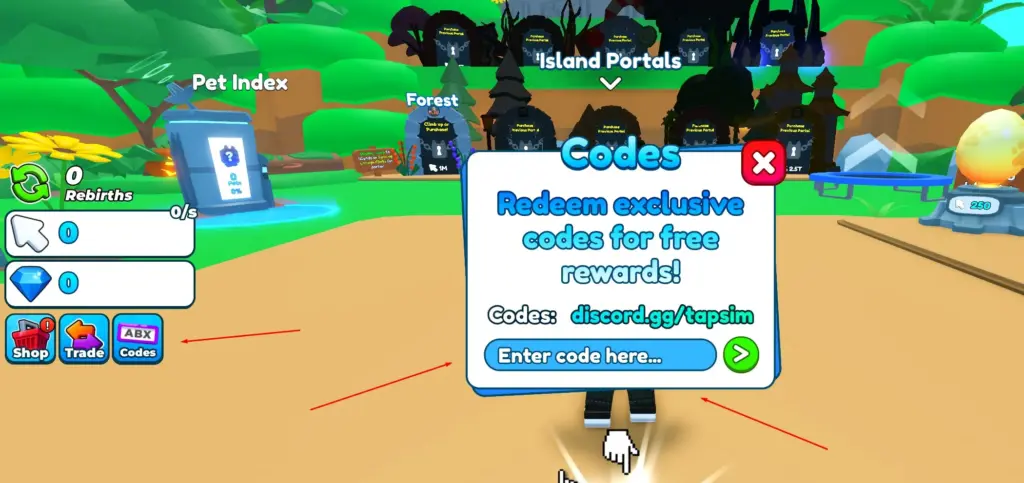
- Launch Tap Simulator on Roblox.
- Click on the Codes icon on the left side of your screen.
- Type the code in the ‘Enter code here…’ textbox.
- Press > to redeem the code.
Expired Codes
DISCLAIMER: We test and update active Tap Simulator codes daily. However, codes can expire at any time at the developer’s discretion.
There are currently no expired Tap Simulator codes.
Why Tap Simulator codes might not work
If a Tap Simulator code won’t redeem, it’s usually for a simple reason, because it’s expired or it wasn’t typed in exactly as shown. Most codes are case-sensitive, so one small typo, or even an extra space, can make an active code fail.
If everything looks correct, but it still won’t work, try joining a different server or restarting the game. That quick reset can clear temporary glitches and get the redemption feature working normally again.
One more thing. Codes are typically one-time use per account. So even if the code is still active, it won’t redeem twice, and the game doesn’t always spell that out clearly.
What is Tap Simulator on Roblox?
Tap Simulator is a Roblox clicking-style experience where your main goal is to tap for power, earn currency, and upgrade your setup so you can progress faster. The core loop revolves around building up your stats through upgrades, unlocking better options as you go, and steadily increasing how much you earn with each session, and codes can help by giving you extra rewards without as much early grinding.
Using Tap Simulator codes also makes it easier to try out upgrades and different progression paths sooner. Instead of saving up for every purchase, you can boost your progress early, test what works best, and keep your momentum going.
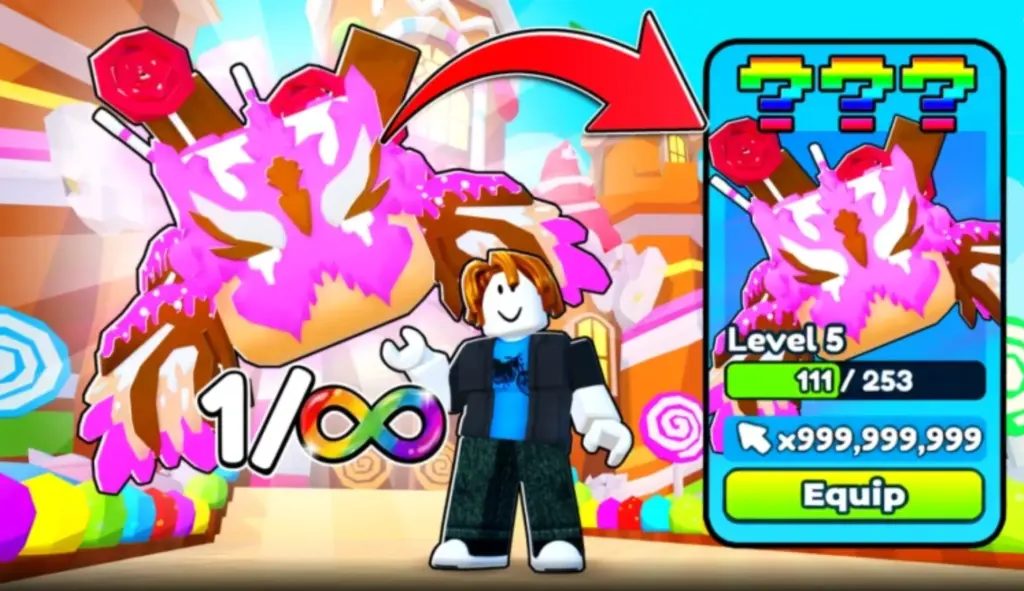
As the game gets updated, you’ll usually see more upgrades, new content, and fresh goals to chase. Having a stash of free boosts or extra currency from codes can be a nice edge, helping you climb faster without getting stuck repeating the same grind.
Where to find more Tap Simulator codes
Fresh Tap Simulator codes are most often posted through the developer’s official channels, so that’s the best place to spot them first:
And since we update this page regularly, it’s worth bookmarking it if you want the newest Tap Simulator codes the moment they drop.
Similar Roblox games with codes
- Anime Fighting Simulator Endless codes
- Pickaxe Simulator codes
- Tower Defense Simulator codes
- Slimera Mining Simulator codes
We’ll keep the list fresh so you don’t have to waste time hunting through socials (okay, maybe one social can be our official Instagram page). To improve your progress in similar games, visit our dedicated Game Codes page.

Editorial & Verification Notice
Content on CodesRaid is produced through a collaborative process involving research contributors, editorial contributors, and technical oversight. Codes are tested in-game where possible and otherwise verified using official developer sources and trusted community channels. Articles are reviewed and updated regularly to maintain accuracy.
Content on CodesRaid is produced through a collaborative process involving research contributors, editorial contributors, and technical oversight. Codes are tested in-game where possible and otherwise verified using official developer sources and trusted community channels. Articles are reviewed and updated regularly to maintain accuracy.