Mojave Valley Codes
We love free rewards, and that's why we do our best to find the latest Mojave Valley codes!

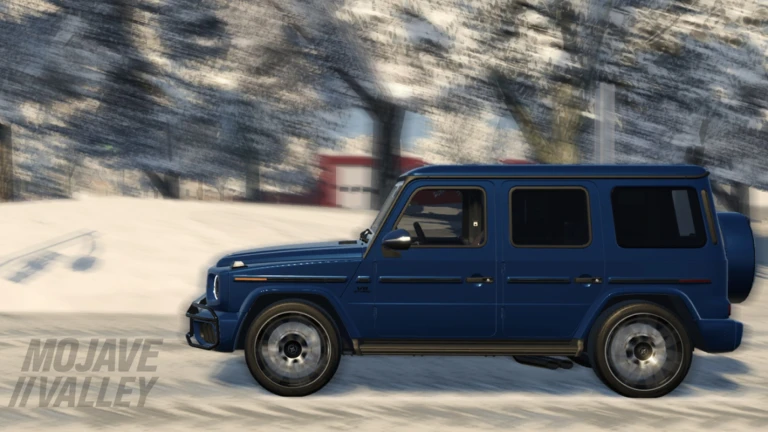
Spending time in the city feels more immersive once Mojave Valley codes help remove some of the early friction. After jumping in, driving around the desert highways, learning traffic systems, and getting used to realistic controls, having a small boost makes it easier to focus on roleplay moments instead of worrying about slow starting cash. It lets the experience breathe, especially when settling into longer sessions with friends and exploring what the map has to offer.
Mojave Valley stands out because the world feels lived in rather than staged. Cruising through familiar-looking roads, stopping at intersections, and running into other players going about their own routines makes every session feel different. Whether you are roleplaying a daily job, organizing drives with friends, or just socializing in the city, the map supports it naturally. If a similar experience with plenty of freebies sounds appealing, checking our Southwest Florida codes article is an easy next step.
Working Codes
Checked and updated: February 26, 2026
LUNARYEAR: 15k Cash (New)
Expired Codes
NEWYEARSTANKLATERTWOMILLIONVISITSPRESSPRESSDELAYEDMIYLOTANKEDWINTERMOJAVERETURNSLIKES3500BUGFIXHALLOWEENHYDROLOCKEDLASTWORDBURNTKITCHENSTREAMPF2CATALINAISLAND_TANKEDLIKES150
DISCLAIMER: We test and update active Mojave Valley codes daily. However, codes can expire at any time at the developer’s discretion.
How to redeem Mojave Valley codes
Redeeming Mojave Valley codes is actually pretty easy if you follow our instructions below:

- Open Mojave Valley on Roblox.
- Click the shopping cart icon in the top-right corner of your screen.
- Choose the CODES tab in the pop-up window.
- Insert a code from our list into the ENTER CODE textbox.
- Press the green play button to claim freebies.
Where to grab more Mojave Valley codes
As you already know, our main mission is to find the latest Mojave Valley codes, and that’s why we’re always awake, waiting for some new drops. That’s why you should save this article (CTRL+D) and check back whenever you can.
However, if you want to search them by yourself, we suggesting joining the Mojave Valley Discord server or the Official Mojave Valley Roblox group.
Why Mojave Valley codes sometimes do not work and what is the game about?
Mojave Valley codes sometimes don’t work because many are only valid for a short time around events, updates, or special drops, and once that window closes, they become inactive, even if they still appear online. Entering a code with incorrect capitalization, missing characters, or extra spaces will also cause it to fail, since the redemption box requires exact input. If a code has already been claimed on your account, it cannot be redeemed again, which can make it seem broken when it’s simply been used.
Another common issue is timing. Some rewards only activate after a patch is fully rolled out, so trying too early can make a code look invalid until the update finishes syncing. Occasional server lag or switching between servers may also delay reward delivery, and rejoining often reveals whether the reward actually registered.
Mojave Valley is a realistic California city roleplay game built around a detailed map based on real locations in the Mojave Desert. Players earn money by driving authentic vehicles, socializing with others, and imagining a life in a sprawling open world full of endless opportunities. The focus is on freedom and immersion, whether you want to follow a structured roleplay path or explore and interact with friends.
Mojave Valley controls and co-op tips
Mojave Valley leans heavily into realism, so learning the controls makes the experience far more enjoyable. Shifting gears, using indicators, and managing lights all play a role in making driving feel grounded instead of arcade-like.
Taking time to get comfortable with vehicle controls helps avoid frustration, especially in busy areas. Playing with friends elevates the experience even more, since coordinated roleplay, convoys, and shared scenarios make the city feel alive and turn casual driving into memorable moments.
Controls (PC)
Q / E: Shift gears
S + F: Start car
F: Turn off car
Z / C: Turn signals
X: Hazards
H: Horn
L / J: Lights (low beam / high beam)
Mobile
Side buttons: Indicators, lights, horn
Power button above brake pedal: Start car
Right-side buttons: Gear shifting
Console
DPad Left / Right: Turn signals
DPad Down: Interact
LT + DPad Down: Start car
X: Shift down
Y: Shift up
B: Hazards
We’ll keep the list fresh so you don’t have to waste time hunting through socials (okay, maybe one social can be our official Instagram page). To improve your progress in similar games, visit our dedicated Game Codes page.

Editorial & Verification Notice
Content on CodesRaid is produced through a collaborative process involving research contributors, editorial contributors, and technical oversight. Codes are tested in-game where possible and otherwise verified using official developer sources and trusted community channels. Articles are reviewed and updated regularly to maintain accuracy.
Content on CodesRaid is produced through a collaborative process involving research contributors, editorial contributors, and technical oversight. Codes are tested in-game where possible and otherwise verified using official developer sources and trusted community channels. Articles are reviewed and updated regularly to maintain accuracy.