Roblox error code 291 explained: causes and fixes
Roblox error code 291 disconnects players when a session loses sync with the server, removing them from the game. Here's how to fix it!

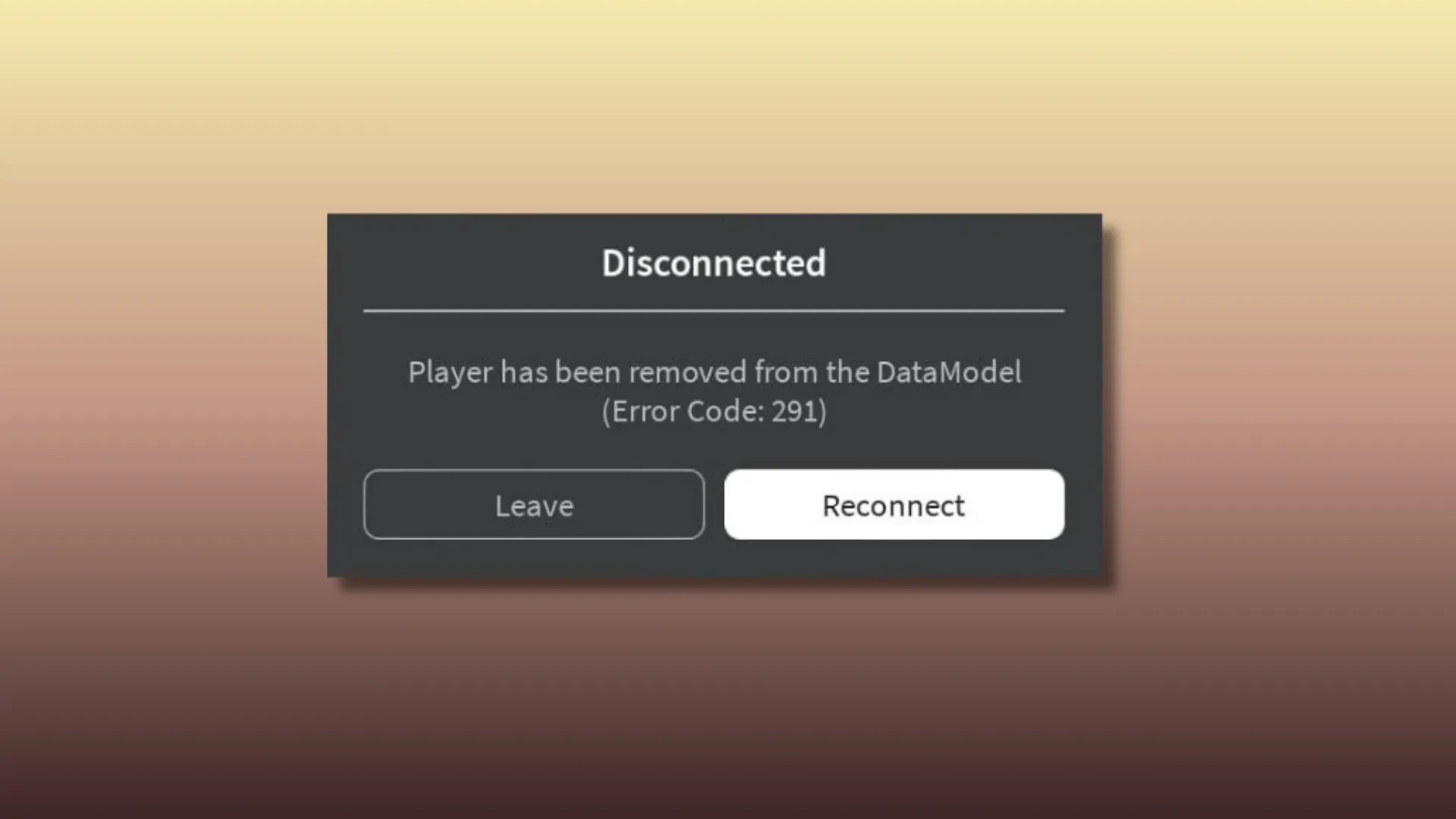
Roblox error code 291 appears when a player is suddenly disconnected from a game, often with a message stating that the player has been removed from the DataModel. The error usually pops up mid-session or while joining a server, giving players the option to reconnect or leave. While the message can look alarming, it does not indicate a ban or permanent account issue. In most cases, Roblox error code 291 is linked to connection instability, server-side problems, or temporary session conflicts.
What is Roblox error code 291?
Roblox error code 291 is a disconnection error that occurs when the game client loses synchronisation with the server’s DataModel. When this happens, Roblox removes the player from the active session and displays a “Disconnected” message along with the error code. This can occur during gameplay, while loading into an experience, or when switching servers. The error does not affect your Roblox account or progress permanently, and it can happen on PC, mobile devices, or consoles.
Common causes of Roblox error code 291
The most common cause of Roblox error code 291 is an unstable connection between the player and the game server. Network interruptions, high latency, or brief packet loss can cause the server to drop the session. Roblox server issues, such as regional outages or maintenance, may also trigger the DataModel removal message.
Other causes include VPN usage, restrictive firewalls, or networks that block certain connections, such as school or workplace Wi-Fi. Corrupted cache files or an outdated Roblox client can also lead to session mismatches. In some cases, the error occurs when a login session expires or fails to refresh correctly, even if the game was working moments earlier.
How to fix Roblox error code 291
To fix Roblox error code 291, start by clicking Reconnect if the option appears. If the error persists, close Roblox completely and reopen it before rejoining the game. This forces a fresh session and often resolves DataModel-related issues.
Next, check Roblox’s server status page to see if there are ongoing outages or maintenance affecting gameplay. Restarting your internet connection can help stabilise your network, especially if you are experiencing lag or disconnections. If you are using a VPN, disable it temporarily and try reconnecting, as VPNs can interfere with server communication.
Logging out of your Roblox account and signing back in can also refresh account sessions. If the issue continues, clearing the Roblox cache or reinstalling the client can resolve corrupted files that may be triggering the error.
Is Roblox error code 291 a server issue?
In many cases, Roblox error code 291 is caused by server-side instability rather than a problem on the player’s device. If multiple players are being disconnected with the same DataModel error at the same time, it is likely a Roblox server issue. Checking Roblox’s official status page or community channels can help confirm whether the problem is widespread. Server-related errors typically resolve on their own once Roblox stabilises the affected systems.
How to prevent Roblox error code 291 in the future
While Roblox error code 291 cannot always be avoided, certain steps can reduce how often it appears. Keeping the Roblox client updated ensures compatibility with server changes. Using a stable internet connection, avoiding unreliable VPNs, and restarting the game after long sessions can help prevent session desync. These steps minimise the chance of being unexpectedly removed from the DataModel during gameplay.
In conlusion: Roblox error code 291 occurs when the game disconnects a player due to a session or server sync issue, often showing a DataModel removal message. Although frustrating, the error is usually temporary and fixable with basic troubleshooting. By understanding its causes and applying the right fixes, players can reconnect quickly and return to their Roblox experiences with minimal disruption.
We’ll keep our codes lists fresh so you don’t have to waste time hunting through socials (okay, maybe one social can be our official Instagram page). To improve your progress in hundreds of Roblox games, visit our dedicated Game Codes page.

Editorial & Verification Notice
Content on CodesRaid is produced through a collaborative process involving research contributors, editorial contributors, and technical oversight. Codes are tested in-game where possible and otherwise verified using official developer sources and trusted community channels. Articles are reviewed and updated regularly to maintain accuracy.
Content on CodesRaid is produced through a collaborative process involving research contributors, editorial contributors, and technical oversight. Codes are tested in-game where possible and otherwise verified using official developer sources and trusted community channels. Articles are reviewed and updated regularly to maintain accuracy.